
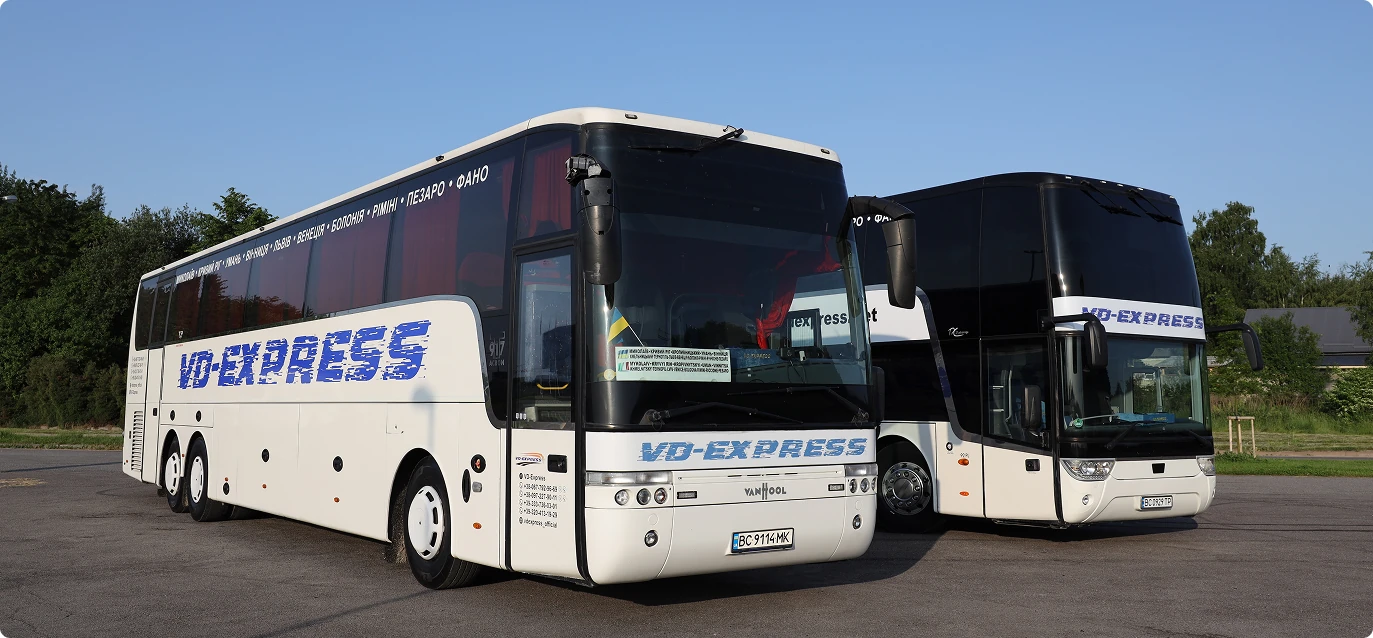
CASE STUDY IMPLEMENTED
How VD-EXPRESS automated its Ukraine — Italy services
VD-EXPRESS brought online ticket sales, trips, transfers, passengers, drivers, documents, GPS tracking and finances together in one CRM for bus operators — BUSPORTAL.

Over 25 years of impeccable service
Industry
International passenger transport, Ukraine — Italy
Solution
BUSPORTAL CRM + ticket sales website
Modules
Bookings, trips, transfers, GPS, documents, drivers, finances
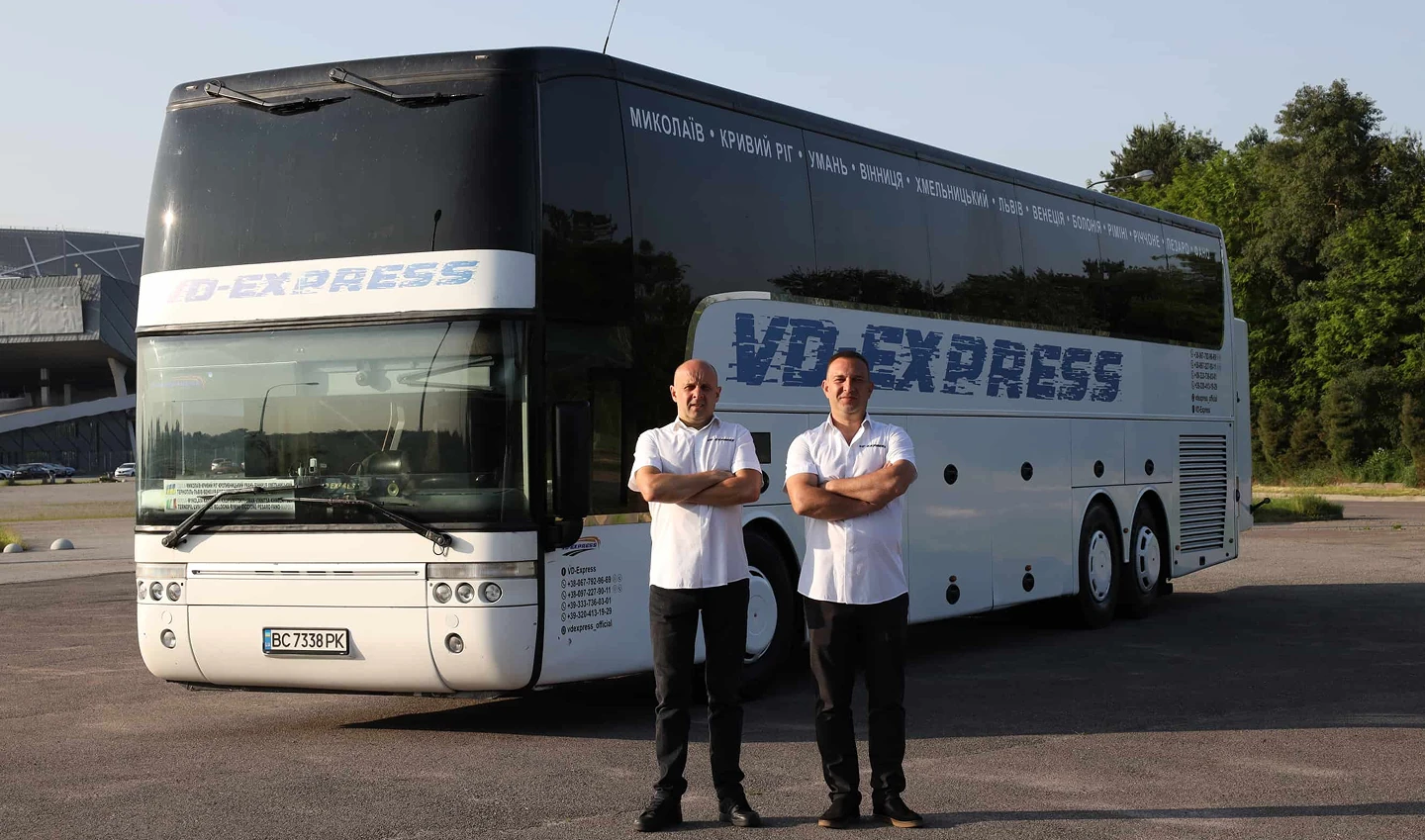
ABOUT THE PROJECT
The goal was to build a single system for VD-EXPRESS in which every booking automatically becomes part of the operational workflow.
Once a booking is made, the carrier has to check the seats, account for the closed reserve, record the payment, issue the ticket, update the passenger list, arrange the transfer, pass the data to the driver, keep an eye on occupancy and on the bus itself, collect the trip documents and post the transaction in the financial records.
When these processes live in separate spreadsheets, chats and applications, the risk of double bookings and outdated data grows.
THE BUSPORTAL PLATFORM
One platform for the entire transport cycle
For VD-EXPRESS we built a booking website connected to BUSPORTAL
The passenger can:

Choose a date and a direction

Choose the travel date

Browse the available trips

Choose a seat on the bus

Enter the passenger details

Order a transfer

Pay for the order

Receive an e-ticket

Follow the current position of the bus on the map
Timetables, prices, buses, transfers and available seats are managed in BUSPORTAL.
Changes made by the administrator are synchronised with the carrier's website.
TRANSFER SYSTEM
Centralised bookings and a closed seat reserve
Every order is kept in one database: trip, passenger, pick-up and drop-off, seat, transfer, payment, sales channel and change history. The owner can reserve groups of seats for direct sales to regular customers. Such seats are not shown as available on the website, and only administrators with the right permissions can book them.
Transfers to and from the scheduled coach
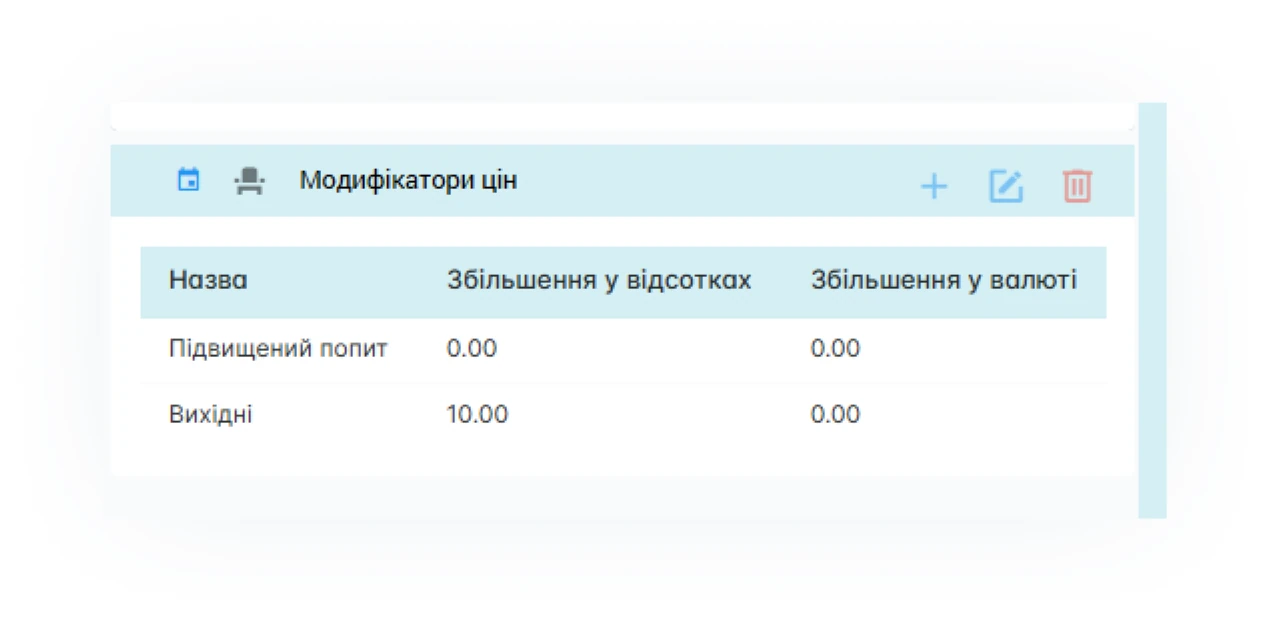
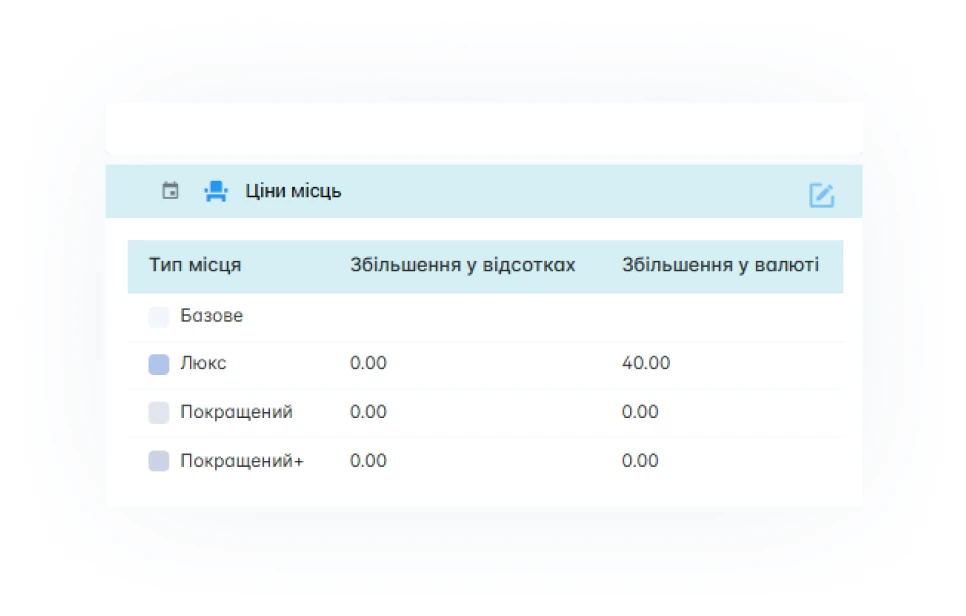
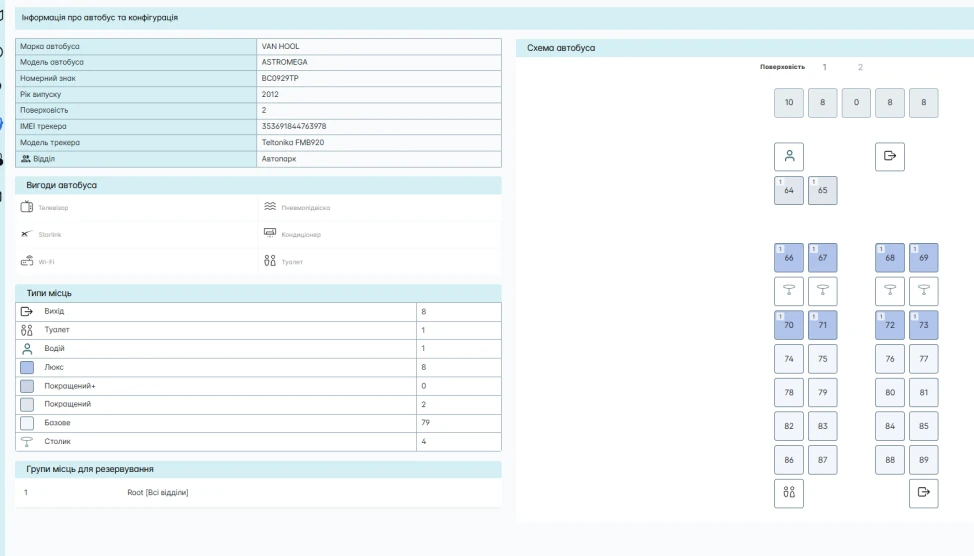
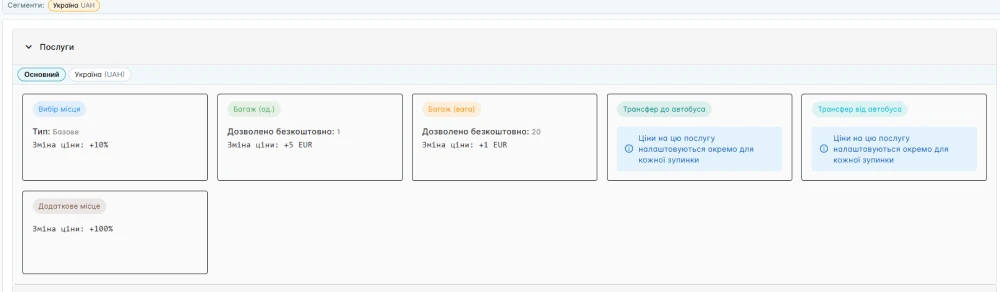
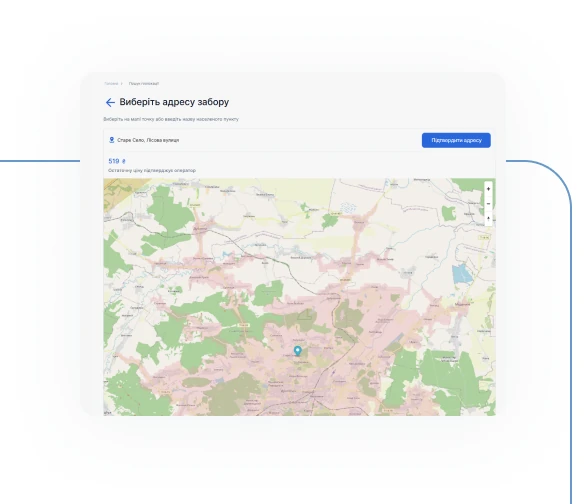
For VD-EXPRESS, BUSPORTAL runs a transfer system that covers the passenger's whole journey — from the starting address to the scheduled coach, and from the coach to the final destination.
 Automatic geo-zone detectionThe system knows by itself whether an address falls inside the service area.
- One ticketThe passenger buys a single ticket that covers both the transfer and the main trip.
- Routing for driversTransfer drivers get ready-made addresses and the pick-up order in the app.
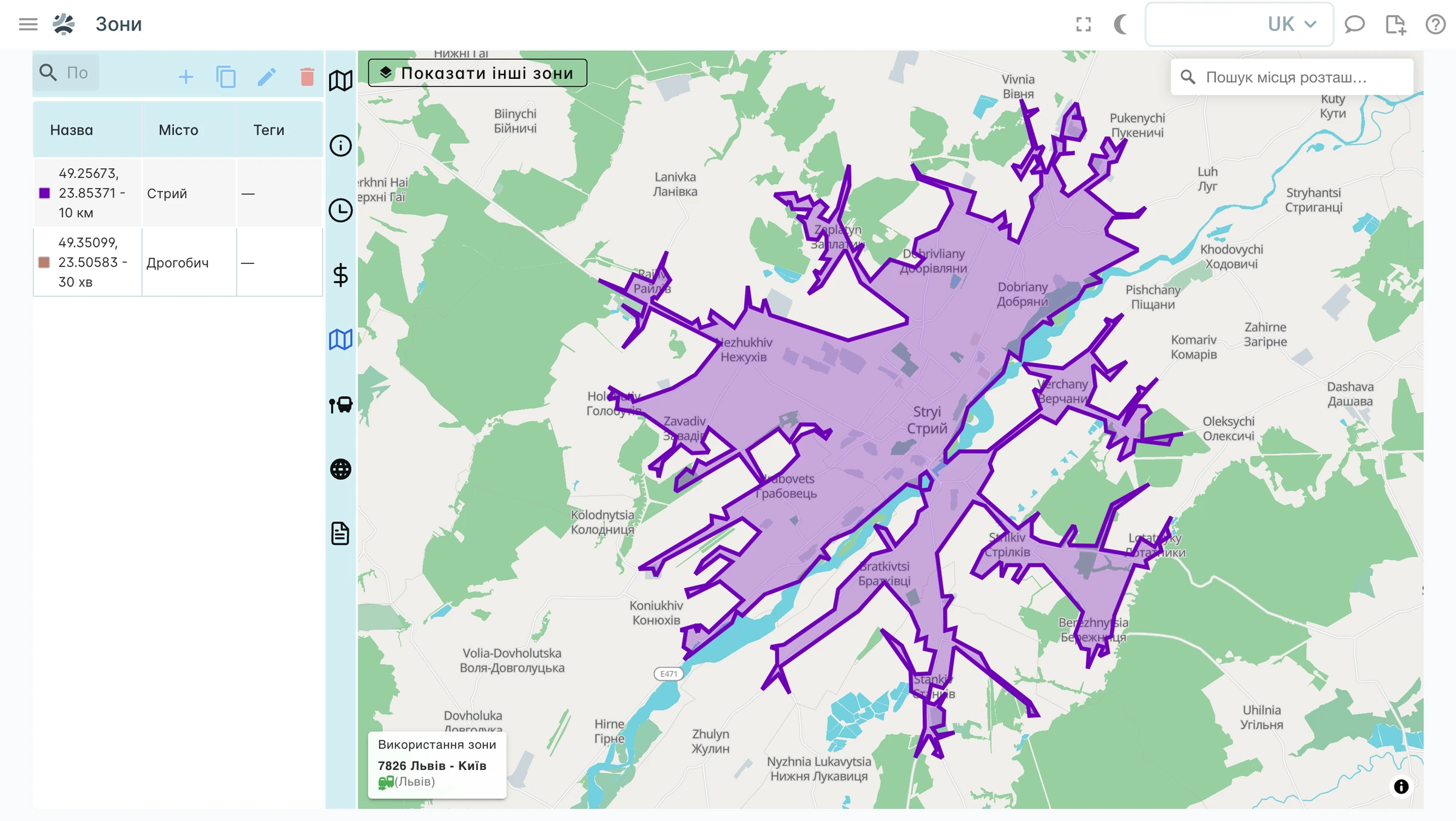
ACTIVE ZONE: Lviv region
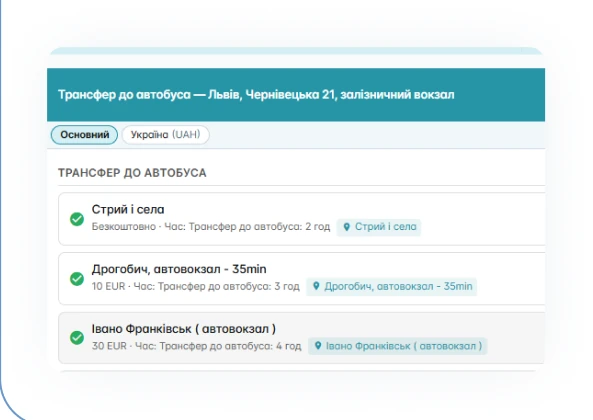
Learn more: Transfer system
Real-time GPS tracking and GTFS
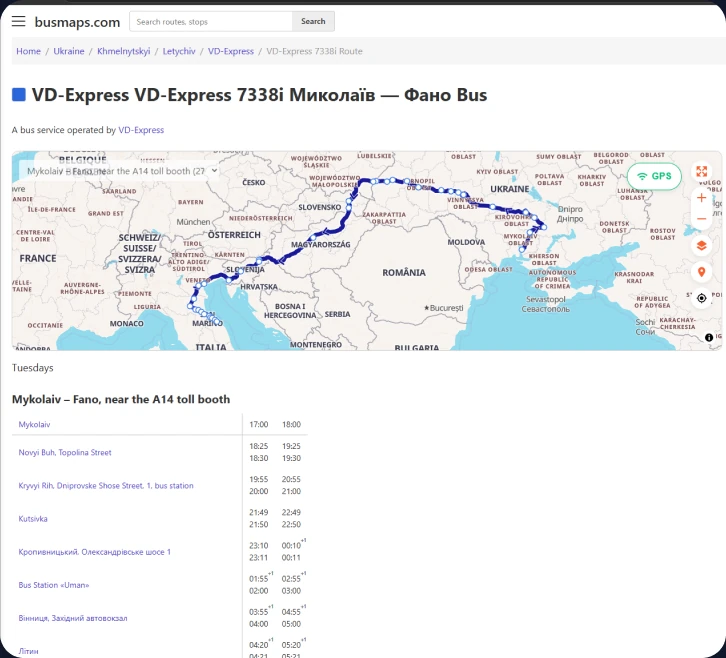
VD-EXPRESS routes in Google Maps and GTFS services
The ITNET team built a transit feed in the international GTFS format from BUSPORTAL data.
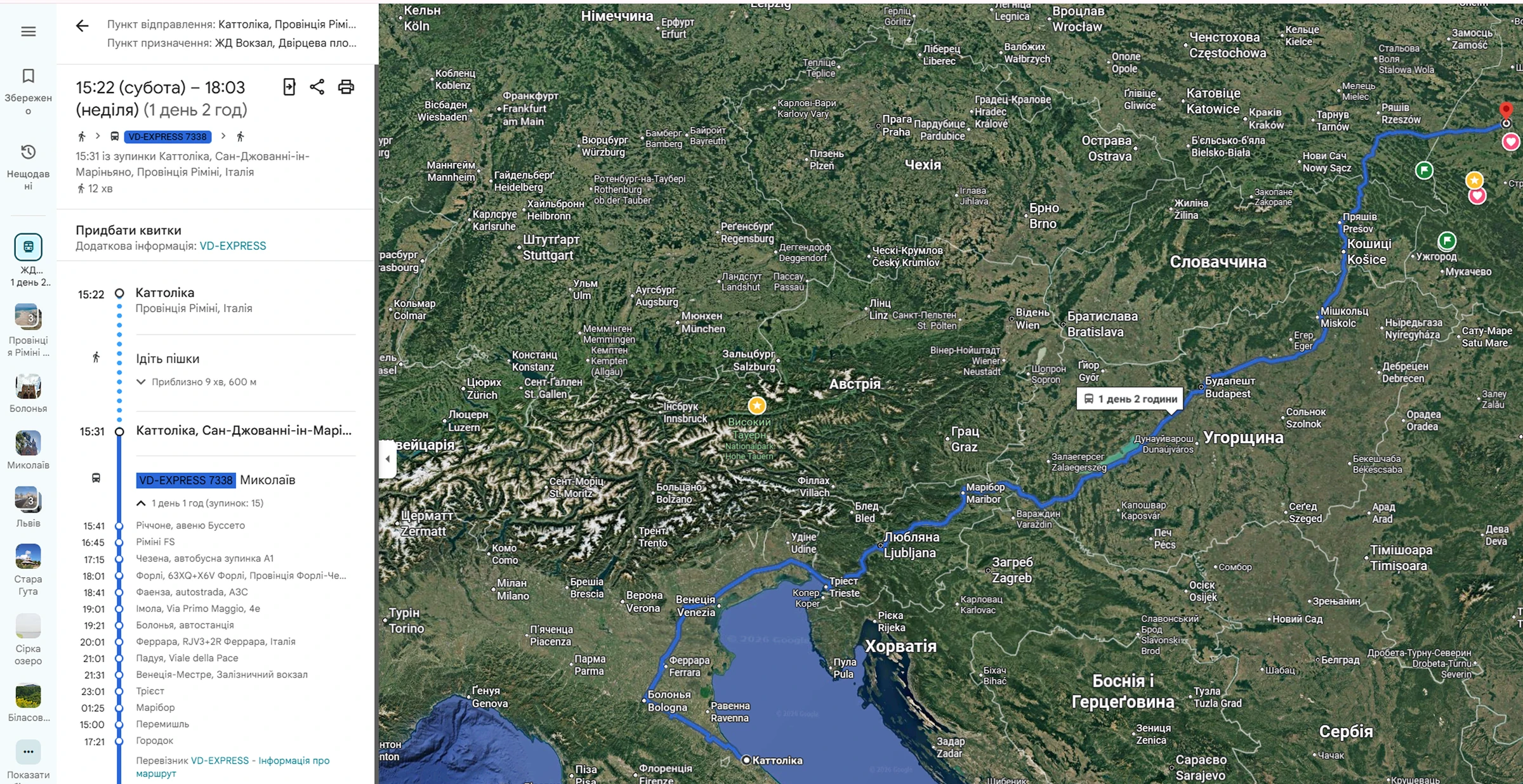
Trip VD-7338 Mykolaiv - Fano
Expected arrival: on schedule
VD-EXPRESS data was added to Google Transit so that the routes appear in Google Maps. The GTFS data is also published in open sources and shared with transit platforms.
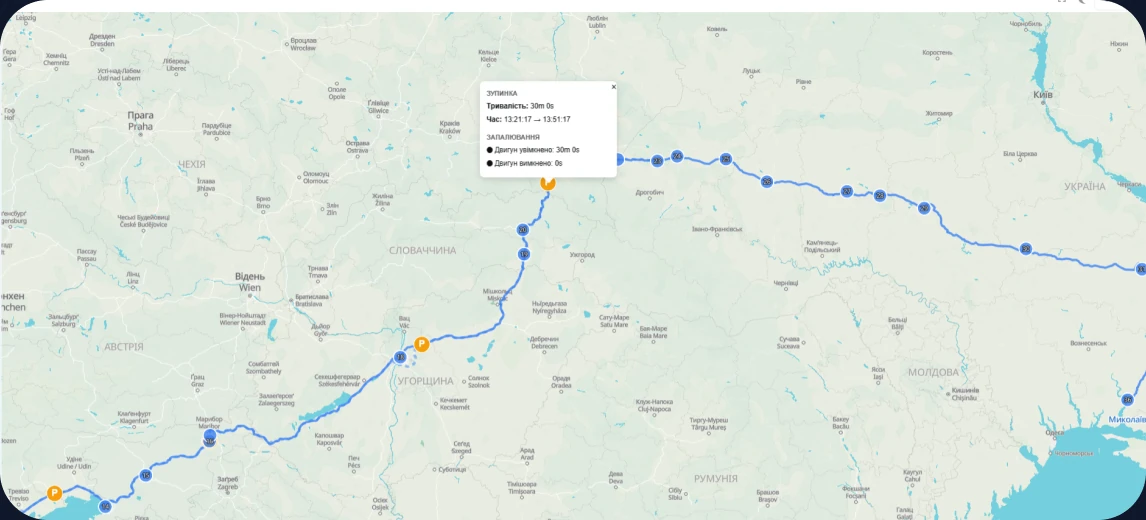
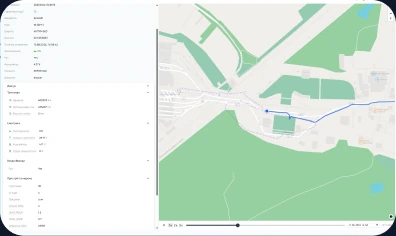
A single fleet map shows position, speed, direction, movement history, stops passed, deviations and the estimated arrival time. VD-EXPRESS uses an integration with Teltonika trackers, including the FMC650 and FMB920, with extended telematics.
The platform is not tied to a single manufacturer: devices connect through a GPS gateway if their protocol is supported or can be integrated. That is why existing equipment usually does not have to be replaced. If there is no hardware tracker, the coordinates are sent by the software tracker in the driver app; with no internet the points are queued and synchronised once the connection is back.
Read more: GPS tracking for buses
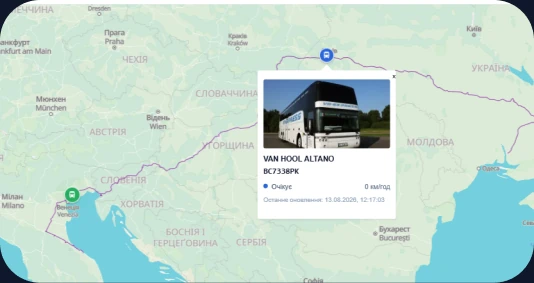
Learn more: Bus GPS tracking
E-ticket with online bus tracking
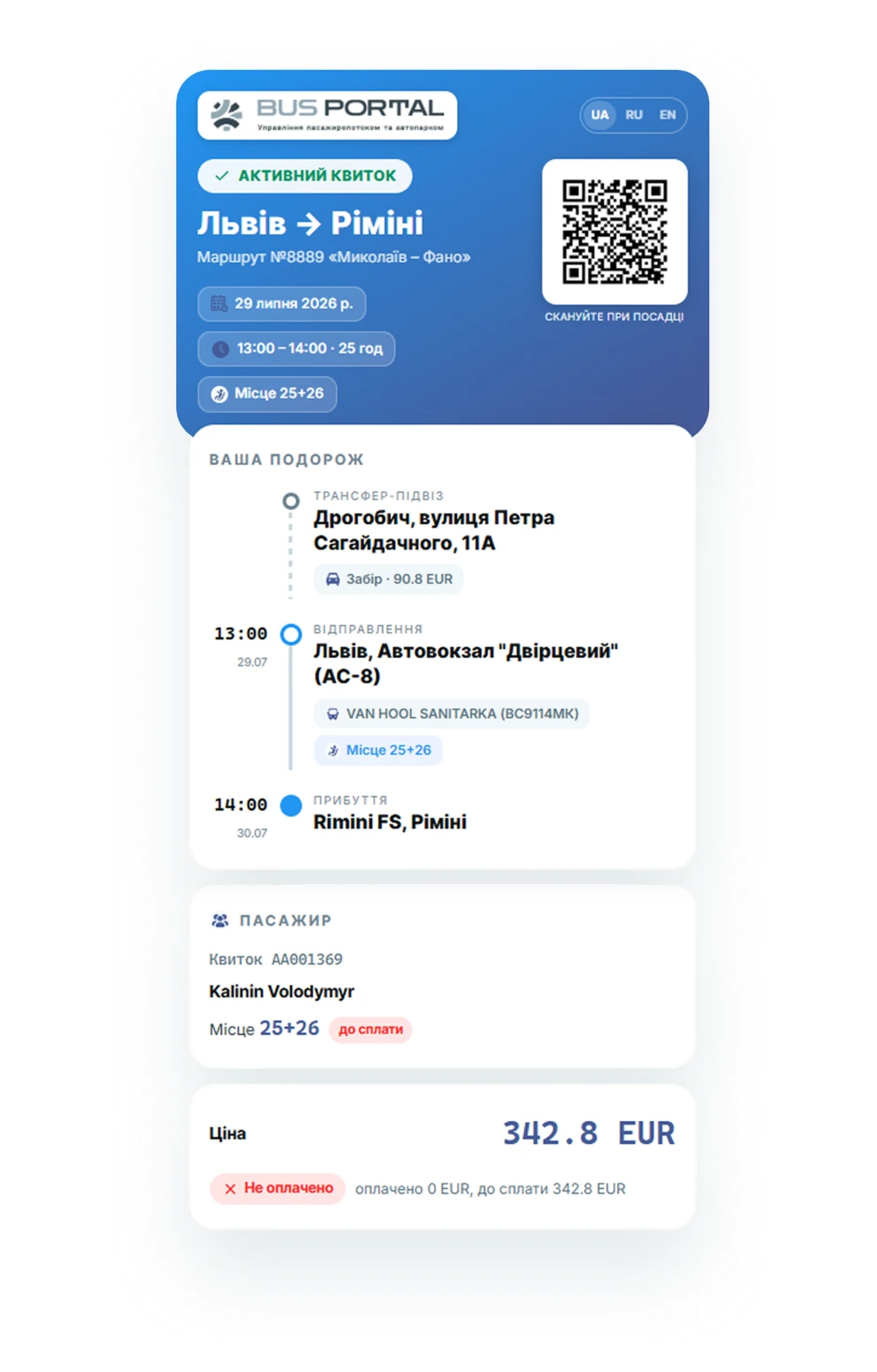
The e-ticket became part of the digital service
An e-ticket is more than proof of travel. It carries a button that opens the live map of that particular trip. The passenger does not need to install a separate app or call the dispatcher: opening the ticket on a smartphone is enough to start tracking the bus.
On the public map the passenger sees:
the current position of the bus
the route and the sequence of stops
the next stop
the scheduled and the estimated arrival time
the delay against the timetable
real-time updates of the bus movement
Learn more: Bus booking system
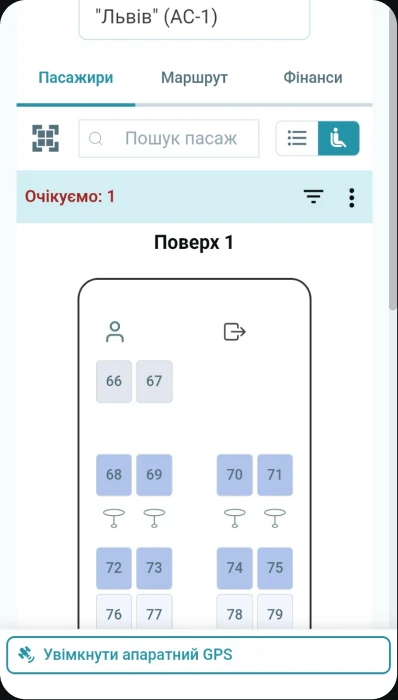
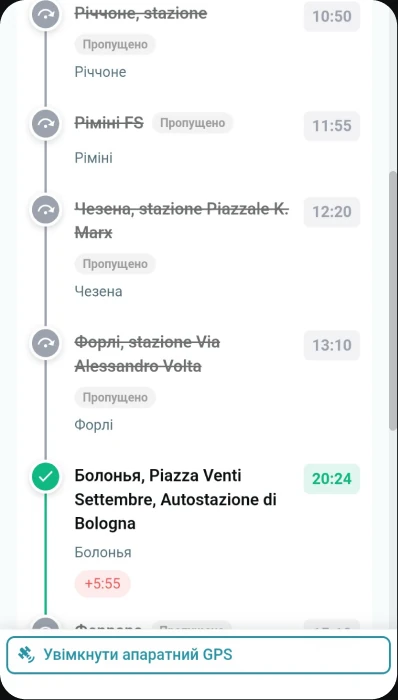
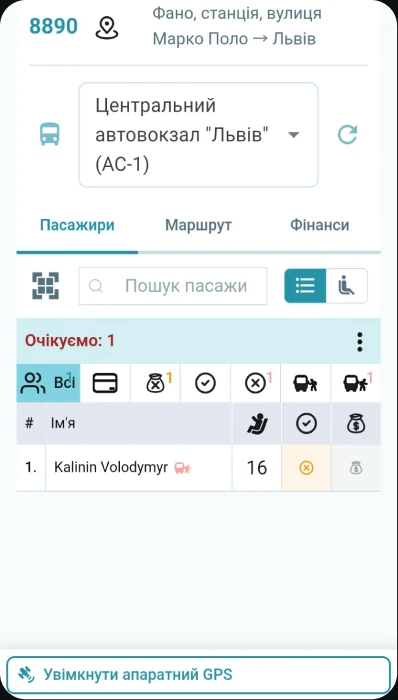
Driver App
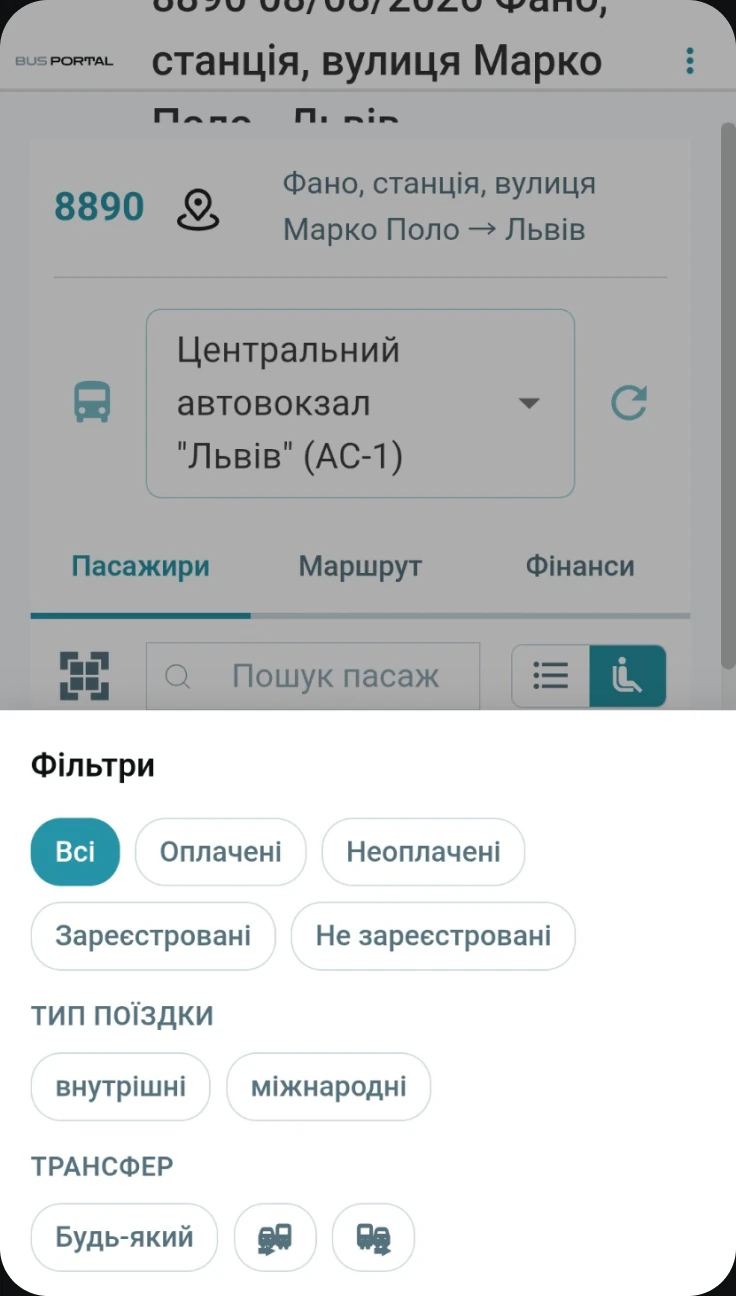
The driver has everything needed at hand
The driver sees the current passenger list, pick-up and drop-off points, payment status, luggage and the linked transfers. They scan tickets, mark boarding and create extra bookings right during the trip — and the dispatcher sees the changes immediately.
Read more: GPS tracking for buses
Passenger list
The up-to-date list of people on the trip, in real time
Pick-up and drop-off points
Clear landmarks and stops along the whole route
Payment status & luggage
Record of money received and labelling of the load
Ticket scanning
Instant boarding by QR code using the camera
Passenger booking
Booking a passenger and adding extra services to the ticket
Voice announcements
Voice alerts for boarding and drop-off
Learn more: Driver app
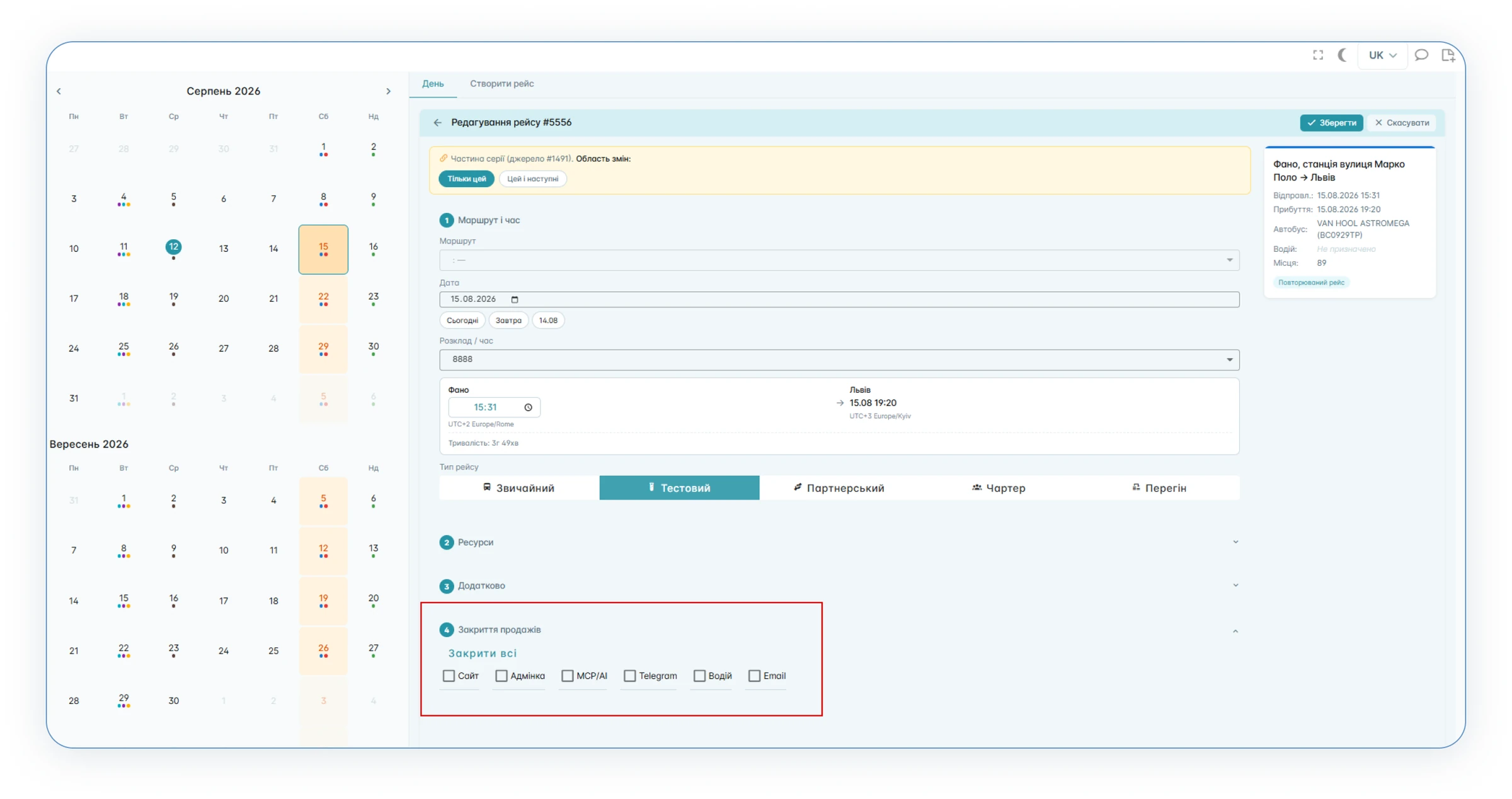
closing sales
Closing sales channel by channel
Sales for a specific trip are closed separately for each channel: the website, messenger bots, the admin panel, the driver app, email and partner integrations. For example, when only a few seats are left, online sales can be switched off while booking stays available in the admin panel. The system records who closed the channel and when; it can be reopened at any time.
Unified financial accounting
Orders, tickets, transfers and payments are linked to the BUSPORTAL finance module.
Management can analyse:
revenue by trip and by route
income from transfers
cash and cashless payments
income and expenses
the work of the cash desks
settlements with partners
outstanding debts
passenger flow
trip occupancy
IMPLEMENTATION RESULTS
What changed after BUSPORTAL was introduced
25%
of tickets are sold online
600+
bookings per month
8
active geo-zones
11
vehicles
FAQ
How do transfers work?
BUSPORTAL determines the coordinates of the address given by the passenger and checks whether it falls inside a configured geo-zone. If a transfer is available, the system calculates its price automatically, shows the approximate pick-up time and adds the service to the booking for the main trip. Rates, vehicles and service hours are configured separately for each zone.
Can we keep part of the seats for regular customers?
Yes. The owner can reserve groups of seats for direct sales to regular customers — such seats are not shown as available on the website, so nobody can buy them online. Only administrators with the right permissions can book a reserved seat. The reserve is released the same way it is set, without involving the developers.
Can sales be closed only on the website or only in the bot?
Yes. Sales for a specific trip are closed separately for each channel: the website, messenger bots, the admin panel, the driver app, email and partner integrations. For example, when only a few seats are left, online sales can be switched off while booking stays available in the admin panel. The system records who closed the channel and when — it can be reopened at any time.
How does the passenger track the bus?
The passenger opens their e-ticket and goes to the live map of that particular trip — no separate app and no registration required. The map shows the current position of the bus, the route and the sequence of stops, the next stop, the scheduled and the estimated arrival time and the delay against the timetable. The data updates in real time.
How did VD-EXPRESS routes appear in Google Maps?
The ITNET team built a transit feed in the international GTFS format from BUSPORTAL data — the standard carriers use to share timetables with transit services. VD-EXPRESS data was added to Google Transit so that the routes appear in Google Maps, and the feed itself was published in open sources and shared with transit platforms. The feed is generated from the timetable in the CRM, so there is nothing to maintain separately for Google.
Can BUSPORTAL recognise receipts automatically?
The driver records receipts and expenses right in the app — they go straight into the BUSPORTAL finance module and do not have to be entered twice. The system keeps the photo of the receipt as the original, while the recognition result is a separate layer that an administrator can check and correct before it is posted to the accounts.
Can a similar solution be built for another carrier?
Yes. BUSPORTAL is built specifically for bus carriers — it is not a general-purpose CRM that you have to adapt to the transport business yourself, so the core is already in place. The set of modules and integrations is chosen to match the processes of each carrier: some need transfers and GPS, others only ticket sales and trips. You can try the system free with Live Pilot for up to 45 days, with no contract and no commitment.
Want to automate your transport company the same way?
We will show you how BUSPORTAL can bring bookings, trips, transfers, GPS, documents and finances together in one system.