

Bus fleet management software
Keep your buses, drivers and trip execution under control in one system. BUSPORTAL shows which bus is assigned to a route, where it is, who is driving it, which seats are available to passengers and what expenses came up during the journey.
Instead of separate spreadsheets, GPS services and chats, you get one shared workspace for the owner, the dispatcher, the administrator and the driver.
all buses and trips in one account
assignment of drivers and vehicles
current location on the map
expenses and ticket sales for every trip


SOFTWARE
What bus fleet management software is
Bus fleet management software is a system in which a passenger carrier runs its fleet, assigns buses and drivers to trips and keeps control of vehicle movement, free seats, expenses and schedule performance.
BUSPORTAL links a bus not just to a dot on the map, but to a specific trip, route, driver and passenger list. So the owner sees not only where the bus is, but also what is happening with the trip.
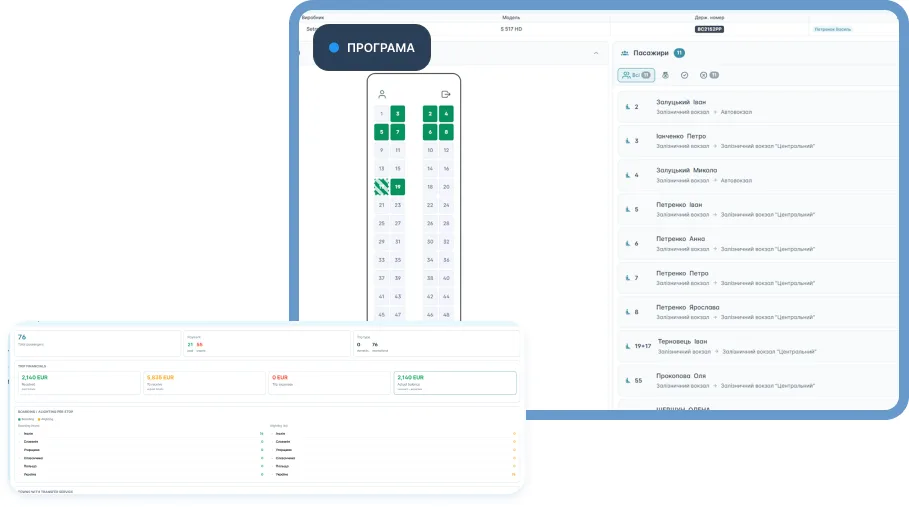
CONTROL
What you can keep under control in BUSPORTAL
| The owner's task | What the system shows |
|---|---|
| Which buses the company has | A vehicle register with models, photos, capacity and seat maps |
| Which bus is running the trip | Assignment of a vehicle to a schedule or to a single trip |
| Who is behind the wheel | The driver and the crew assigned to the trip |
| Where the bus is right now | Current location, movement status and route history |
| Whether the schedule is being kept | Departures, arrivals, stops passed and deviations |
| How many seats are available | The real seat map and the occupancy on every part of the route |
| What expenses came up | Fuel, roads, repairs on the way and other expenses tied to the trip |
| What the passenger sees | The trip, the available seats, the e-ticket and the bus moving on the map |
THE FLEET IN SPREADSHEETS AND CHATS
When the fleet is run in spreadsheets and chats
One spreadsheet holds the buses, another the drivers, trip assignments are sent in a messenger, and the actual location of the vehicles is only visible in a separate GPS system. To understand the state of a single trip, the owner has to collect information from several sources.
That leads to the usual problems:

staff work from different versions of the schedule
a bus substitution does not reach the seat map straight away
the dispatcher phones the driver to check where the bus is
fuel and road expenses are sent as photos with no link to the trip
data on tickets, passengers and vehicles never adds up to one picture
the owner learns about a deviation only after a passenger complains
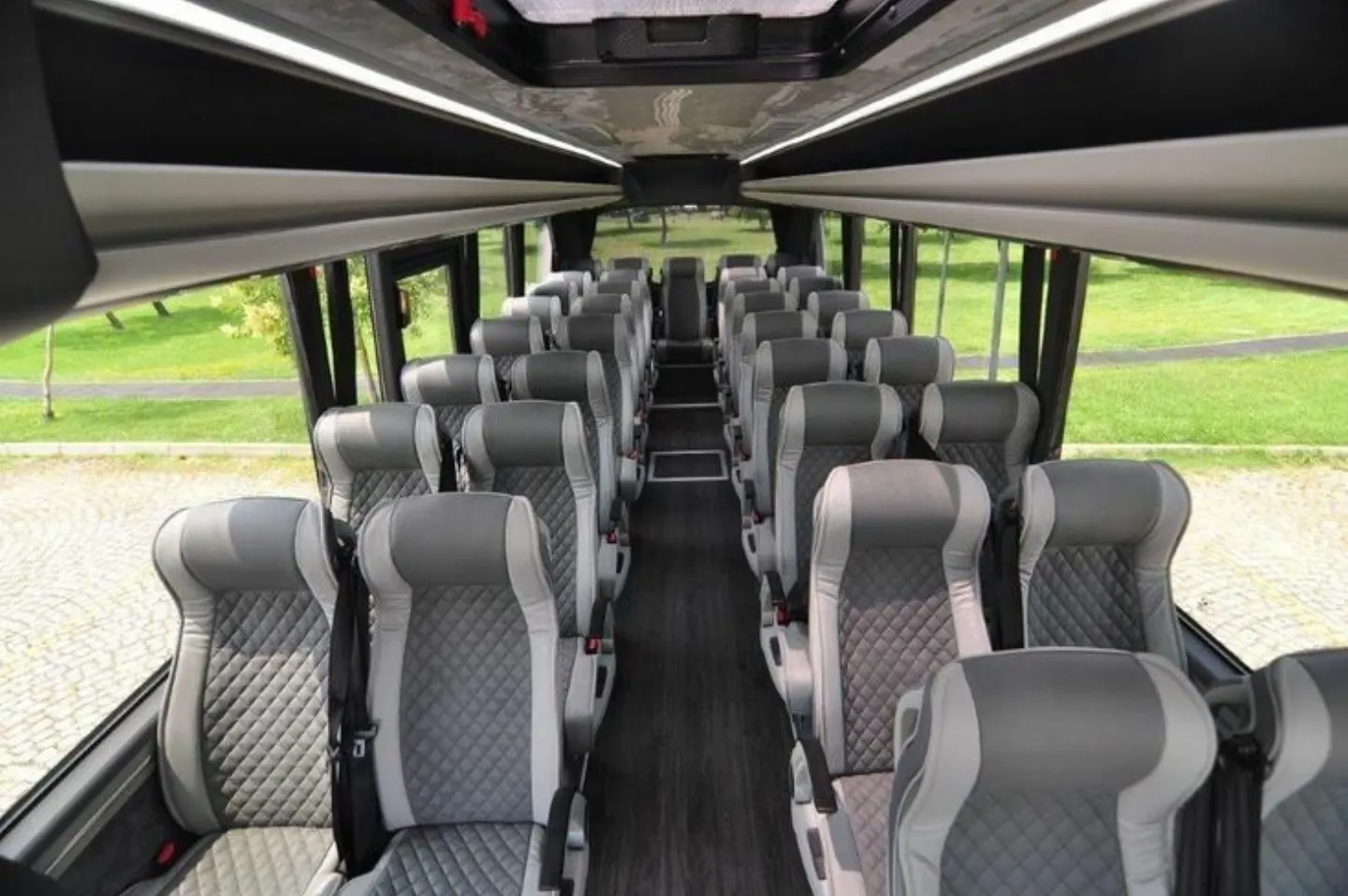
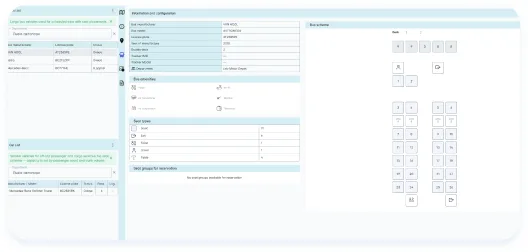
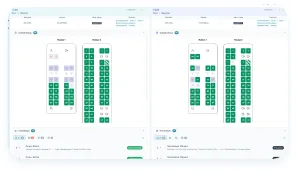
Every bus gets its own seat map. It is used for booking, for the dispatcher's work and for boarding passengers.
If a bus is a double-decker or has a non-standard seat layout, the passenger sees exactly that configuration. You can also mark seats that are available to administrators only — for the owner's personal sales or for regular customers.
More about selling seats is on the “Bus ticket booking system” page.
ONE REGISTER
All buses in one register
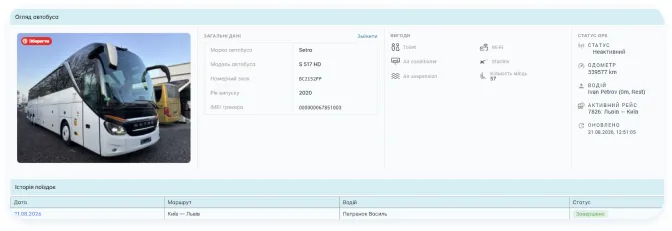
In BUSPORTAL every vehicle has its own card. Staff see the current composition of the fleet and use that data when building the schedule, assigning a trip and selling tickets.
The bus card can store:
the name, the model and the main specifications
the registration number and the internal designation
photos of the interior and the exterior
passenger capacity
the seat layout
amenities: Wi-Fi, air conditioning, power sockets and others
the details of the connected GPS tracker
the department or company that owns the vehicle

ASSIGNMENT
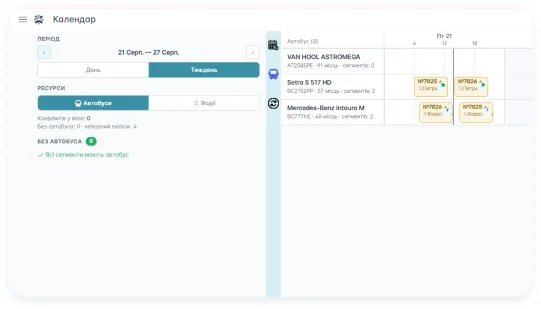
Assigning buses and drivers to trips
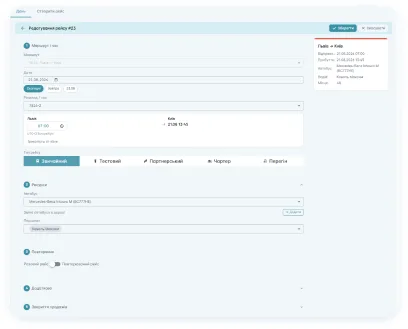
A bus can be tied to a schedule or assigned to a specific trip. The driver gets their journey in the app, and the dispatcher sees who is running it and on which vehicle.
Before departure, a member of staff checks:
whether a bus has been assigned
whether its capacity matches the number of seats sold
which drivers and crew members are running the trip
which seat map will be available to passengers
whether GPS tracking is active
whether there is a conflict with other assignments
If the vehicle has to be replaced, the new bus is tied to the trip. The system takes its seat map into account and helps keep the link between passengers, seats and the actual vehicle.
If the substitution happened during the journey, the trip history can contain parts of the route run by different buses. That gives you the full picture, not just the last vehicle assigned.
The operator's day-to-day work is described in more detail on the “Dispatch software for bus operators” page.

LIVE MAP
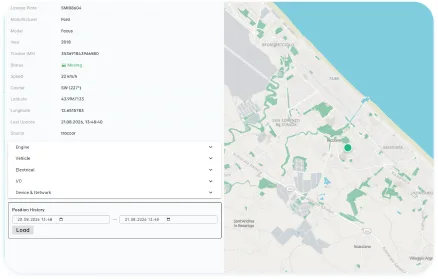
The bus fleet on a live map
The map shows the vehicles connected through a GPS tracker or the driver app. For every bus you see its current location and its state: running a trip, waiting, or not on the line.
The owner or the dispatcher can:
see where a bus is right now
open the details of the active trip and the driver
check that the planned stops have been passed
see the speed and the direction of travel, if the source of coordinates sends that data
look through the route history
notice that coordinates have stopped coming in, or that the bus is running late
tell a passenger the estimated time of arrival
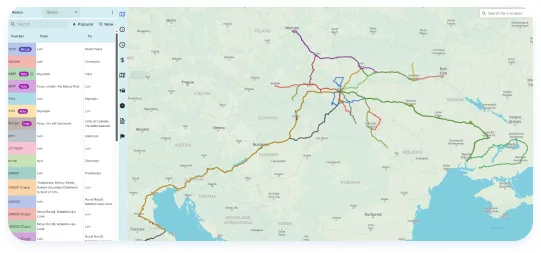
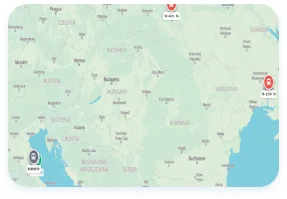
More details are on the “Bus GPS tracking” page.
WHAT IS HAPPENING WITH THE TRIP
Not just “where the bus is”, but what is happening with the trip
An ordinary GPS system shows the movement of a vehicle. BUSPORTAL adds information about the passenger trip to the coordinates.
| Ordinary GPS tracking | BUSPORTAL |
|---|---|
| Shows the bus as a dot | Links the bus to a specific trip |
| Records the path travelled | Compares the movement with the planned stops |
| Shows the speed | Adds the driver, the passengers and the trip status |
| Gives a history of coordinates | Keeps the history of trip execution and vehicle substitutions |
| Is meant for staff | Part of the information can be shown to the passenger |
DRIVER APP
The driver app connects the bus with the office
The driver sees the trips assigned to them in their smartphone and sends the actual course of the journey back to the system. The data becomes available to the dispatcher and to other authorised staff straight away.
In the app the driver can:
look through the list of their trips
start and finish a journey
see the route and the next stops
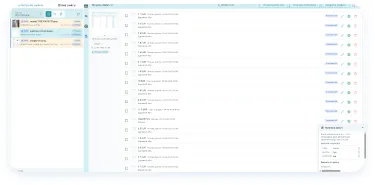
view the passenger list
check e-tickets during boarding
mark boarding and drop-off
record payment taken during boarding
send coordinates if there is no separate GPS tracker
photograph fuel receipts and other expenses
view the ticket and cash report for the trip
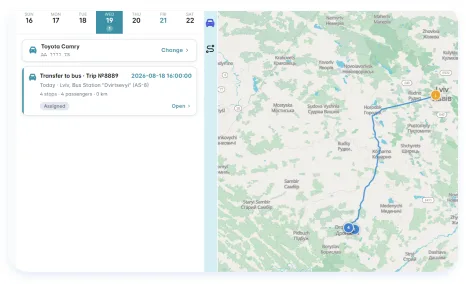
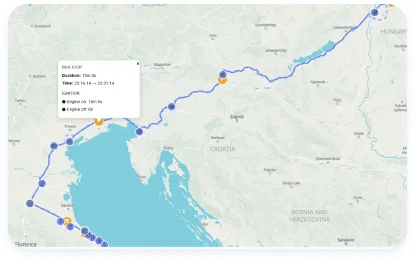
More details are on the “Driver app for bus operators” page.

EXPENSES
Fuel and other expenses for every trip
Expenses can be tied not just to the company or to the bus, but to a specific journey. That helps the owner understand how much running a trip cost and where the extra spending came from.
A driver or another member of staff can record:
refuelling
toll roads and parking
repairs on the way
daily allowances and crew expenses
other expenses related to the trip
A photo of the receipt can be attached to the record. AI reads the data and creates a draft expense for a member of staff to check. The original image stays attached to the record.
This is a record of the actual expenses of a trip. BUSPORTAL should not be described as a full parts inventory or maintenance planning system until such modules are released separately in the product.
SALES
Ticket sales take the actual bus into account
The bus assigned to a trip determines how many seats are available and where they are. The website, the dispatcher, the ticket office and the connected sales channels all work with one up-to-date seat map.
When a seat is sold or reserved:
- It is closed to other sellers on the matching part of the route;
- It goes into the passenger list of the trip;
- It is shown to the driver during boarding;
- It is included in the reports and the finances of the journey.
WHO BUSPORTAL IS FOR
International bus operators
Run trips between countries, several currencies, drivers, bus substitutions, ticket sales and transfers in one environment.
Intercity and regional operators
Manage regular routes, schedules, seat maps, passenger boarding and control over trip execution.
Companies with several buses or departments
Separate the access your staff have and keep a shared picture of the fleet without passing several files around.
Operators who already use a GPS system
You can start using BUSPORTAL for part of the fleet. If the equipment supports duplicating the stream of coordinates, the monitoring you already have can stay switched on during the launch.
KEY DATA
What the owner of a bus fleet sees
The owner does not have to open every trip separately to understand the overall situation. The BUSPORTAL work screens bring the key data about the operation together:
active and planned trips
buses on the route and buses waiting
the drivers assigned
the number of booked and free seats
the status of trip execution
the current location of the vehicles
sales, payments and refunds
cash taken by the crew
expenses sent in from the trip
events that need a member of staff to look at them
Customer analysis, repeat sales and financial history are covered by the CRM for bus operators.
FROM SPREADSHEETS TO BUSPORTAL
How to move from spreadsheets to BUSPORTAL
We add the buses
We transfer the list of vehicles, the photos, the specifications and the seat maps.
We set up the routes and the schedule
We create the stops, the trips, the departure times and the sales rules.
We add the drivers and the staff
Everyone gets access only to the functions and the data they need.
We connect GPS
We use compatible trackers or the driver app as the source of coordinates.
We launch ticket sales
We connect your own website, the payments and the sales channels you need.
We check it on a real trip
The BUSPORTAL team helps you go through the whole process: assigning the bus, selling, boarding, tracking and finishing the journey.
BUSPORTAL AND SPECIALISED FLEET SYSTEMS
BUSPORTAL is built first of all for the day-to-day operations of a passenger carrier.
| Task | BUSPORTAL |
|---|---|
| Buses, drivers and trips | YES |
| Schedule and routes | YES |
| Seat maps and ticket sales | YES |
| GPS control of trip execution | YES |
| Driver app | YES |
| Expenses per trip | YES |
| Passengers and CRM | YES |
HOW VD-EXPRESS RUNS INTERNATIONAL TRIPS
VD-EXPRESS runs international passenger services between Ukraine and Italy. BUSPORTAL brought the carrier's routes, buses, drivers, seat maps, bookings, transfers, GPS and finances together into one shared process.
Staff see up-to-date trip data in one account, and passengers buy tickets on a website under the VD-EXPRESS brand.
View the VD-EXPRESS case study
Questions about bus fleet management
What is bus fleet management software?
It is a system in which a passenger carrier runs its fleet: it assigns buses and drivers to trips and keeps control of vehicle movement, free seats, expenses and schedule performance. In BUSPORTAL this data is linked together, so the owner sees not only where the bus is, but also what is happening with the trip.
How is BUSPORTAL different from an ordinary fleet management system?
A general fleet system mostly keeps records of vehicles, repairs, fuel or GPS. BUSPORTAL links the bus to the passenger trip: the route, the schedule, the driver, the seats, the tickets, the passengers, the payment and the actual movement.
Can I see all the buses on one map?
Yes. The map shows the vehicles connected through a GPS tracker or the driver app: the current location, the state of the trip, the planned stops passed, the speed and the direction of travel, and the route history as well.
Do I have to install a separate GPS tracker?
No. The coordinates can be sent by the mobile driver app. A hardware tracker is needed where the data has to be independent of the driver's phone — both sources work in the same monitoring view.
Can I keep the GPS tracking system I already have?
Yes, during the launch. If the tracker supports sending data to two servers, BUSPORTAL receives the same stream of coordinates in parallel with the monitoring service you already have.
Can I replace the bus on a specific trip?
Yes. The new bus is tied to the trip, the system takes its seat map into account and helps keep the link between passengers, seats and the actual vehicle. If the substitution happened during the journey, the trip history will contain the parts of the route run by different buses.
Does the driver see their trips and passengers?
Yes. In the app the driver sees the trips assigned to them, the route and the next stops and the passenger list; they check e-tickets during boarding, mark boarding and drop-off, and send the actual course of the journey to the system.
How are fuel expenses recorded?
An expense can be tied to a specific journey, not just to the company or the bus. A photo of the receipt is attached to the record: AI reads the data and creates a draft expense for a member of staff to check, and the original image stays attached to the record.
Does BUSPORTAL have bus maintenance planning?
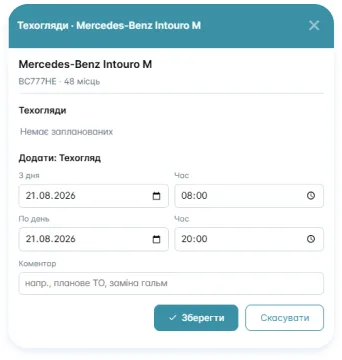
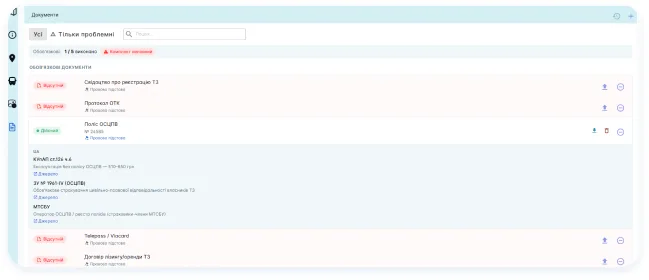
The system keeps records of the actual expenses of a trip and of vehicle documents with their validity dates. A full parts inventory and maintenance planning are not available as separate modules at the moment.
Is the system suitable for a small carrier?
Yes. You can start with part of the fleet without changing every process in the company at once: add the buses, set up the routes and the schedule, connect GPS and ticket sales, and then check how it works on a real trip.
How much does bus fleet management software cost?
Fleet management is not sold separately — it is part of the BUSPORTAL subscription. The fixed fee starts at €300 per month excl. VAT and depends on the size of the fleet: up to 3 buses — €300, 4–7 buses — €500, 8 buses and more — from €700. For seasonal routes there is a second model: €150 per month plus 1% of the value of registered tickets. You can try it free with Live Pilot for up to 45 days.
We will show BUSPORTAL on your own fleet
Tell us how many buses you have, how the schedule is put together, where your dispatchers work and how you keep track of movement and expenses today. In the demo we will show the path from assigning a bus to a trip to finishing that trip.
- Free testing with Live Pilot
- Help with data migration and setup