

A driver app for bus operators
On their phone the driver sees the trips assigned to them, the route, the passengers, the seats, the payments and the luggage. No waiting for a printed list, no hunting for the latest version of the manifest in chats.
- An up-to-date passenger list
- Faster boarding with a QR ticket
- Control over payments and cash on the trip
- Bus location sent from the phone

THE TRIP ON A PHONE
The whole trip on the driver's phone
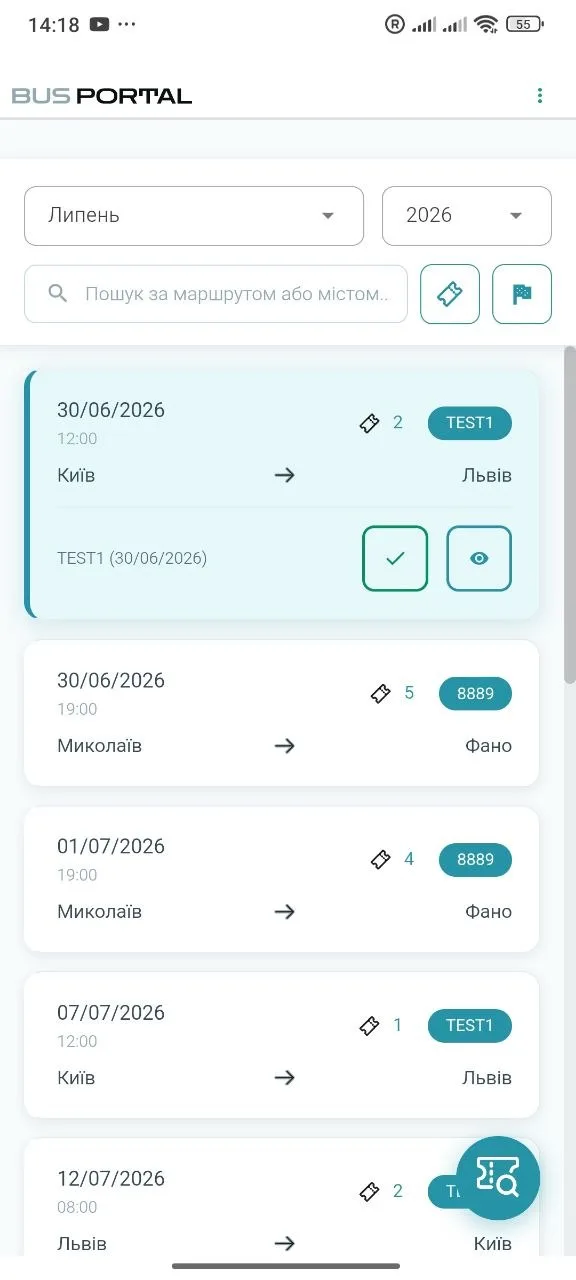
After logging in, the driver immediately sees their working day: assigned trips, the bus, the departure time, the route and the number of passengers. Everything they need is in one place.
ASSIGNED TRIPS
Assigned trips
The list shows the trip number, the vehicle, the departure time and the number of passengers. The driver only works with the trips they have been assigned to.
The app shows every stop along the route, the scheduled time and the current status of the trip. The driver sees what has already been passed and which stop comes next.
The driver starts the trip in the app. From that moment the dispatcher can see the bus moving, and the system records progress along the route. On arrival the driver ends the trip on their phone.
If a trip is assigned, changed or handed over to another driver, the app sends a notification to the phone. There is no need to check several work chats.
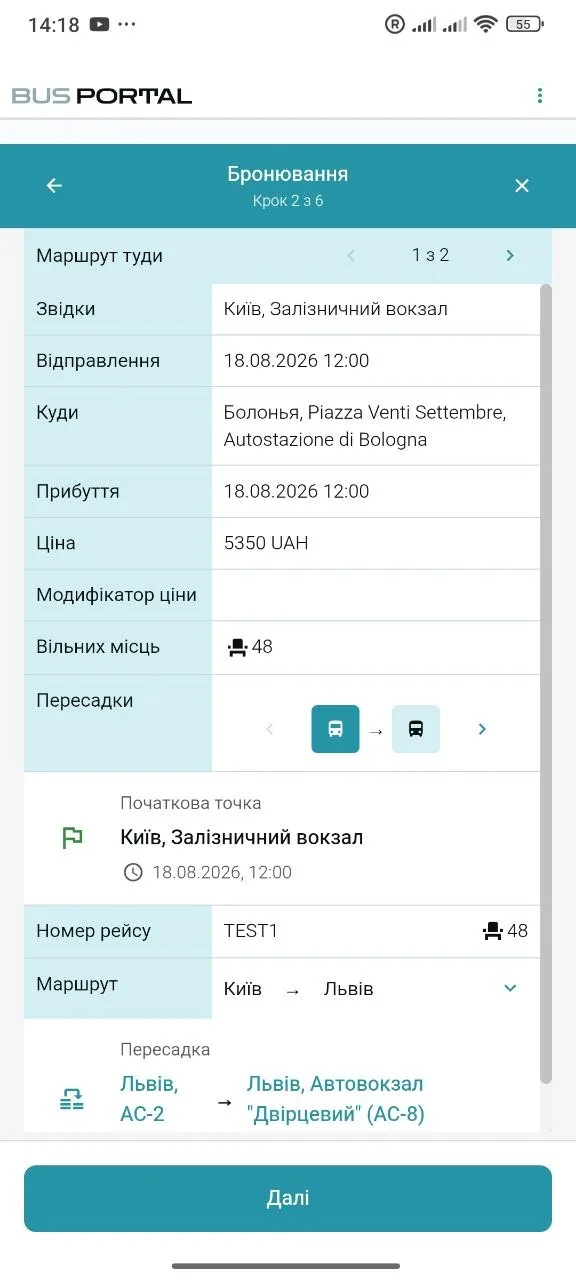
Instead of a printed manifest, the driver has an up-to-date passenger list. They can see who boards where, which stop each passenger travels to, which seat they take and whether the trip has been paid for.
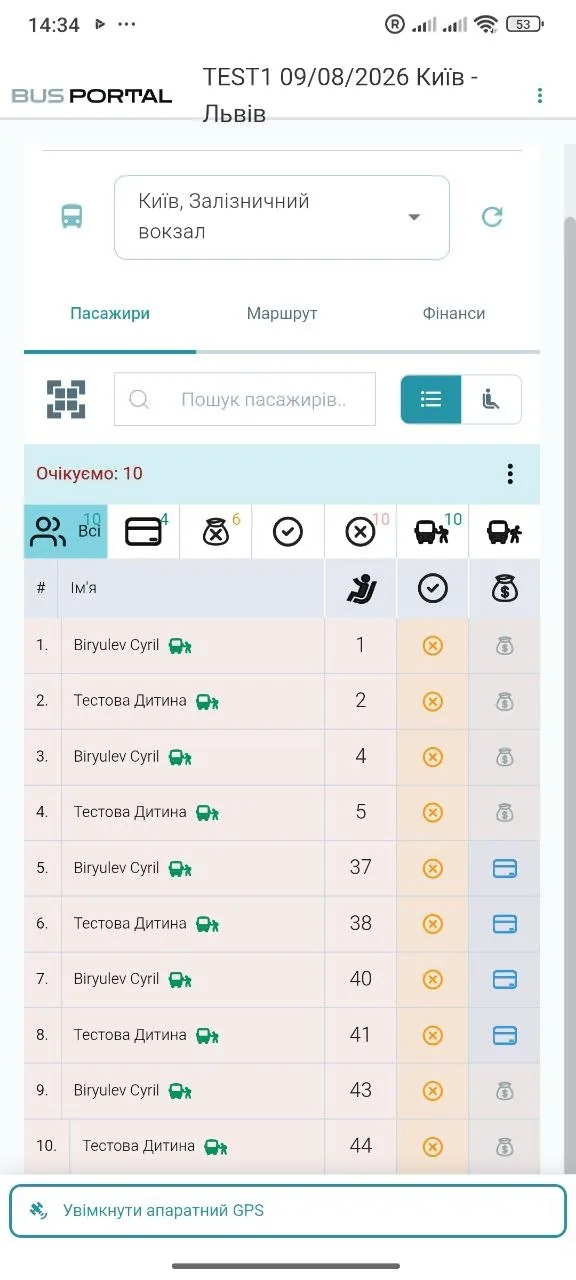
INFORMATION
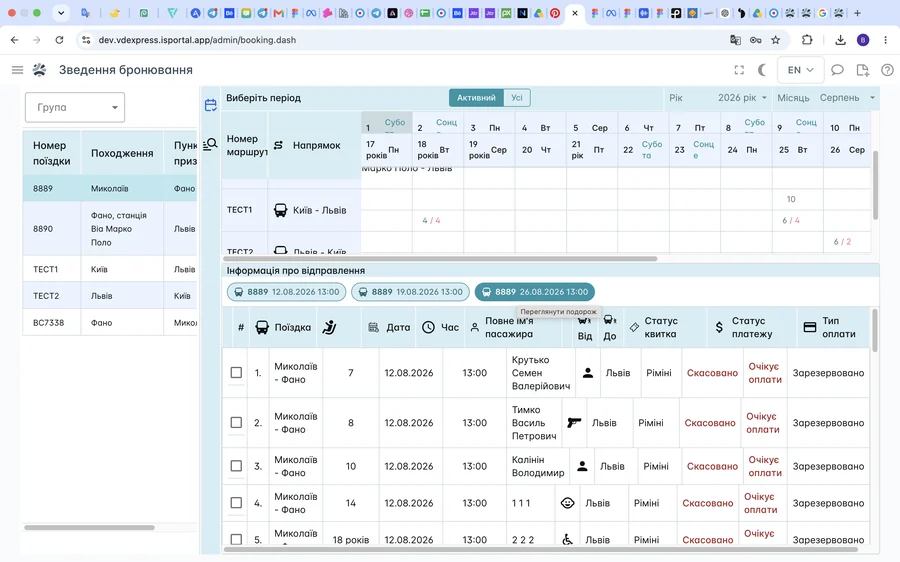
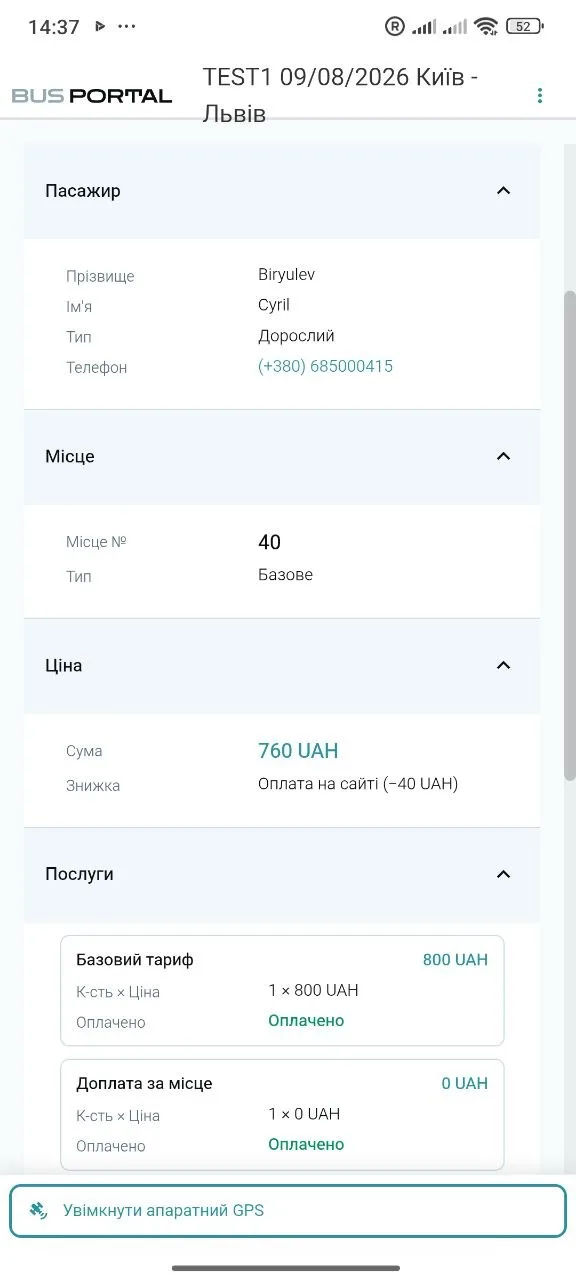
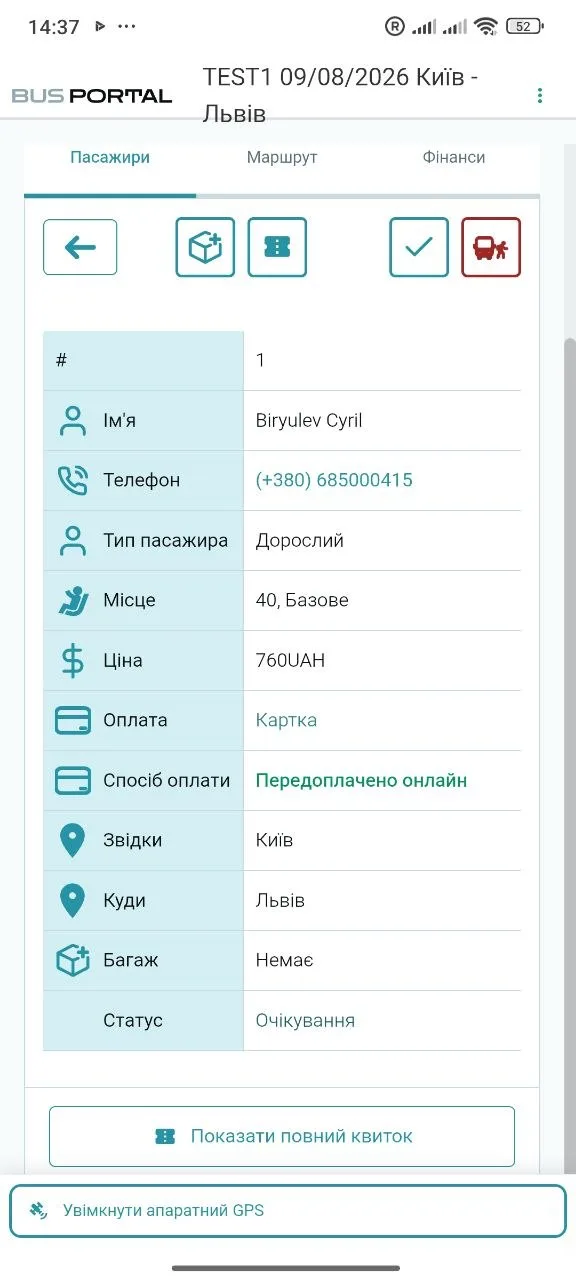
All the information about a passenger
The card shows the pick-up and drop-off points, the seat number, the payment status, the luggage and any extra services. The driver does not have to check these details with the dispatcher.
SEAT MAP
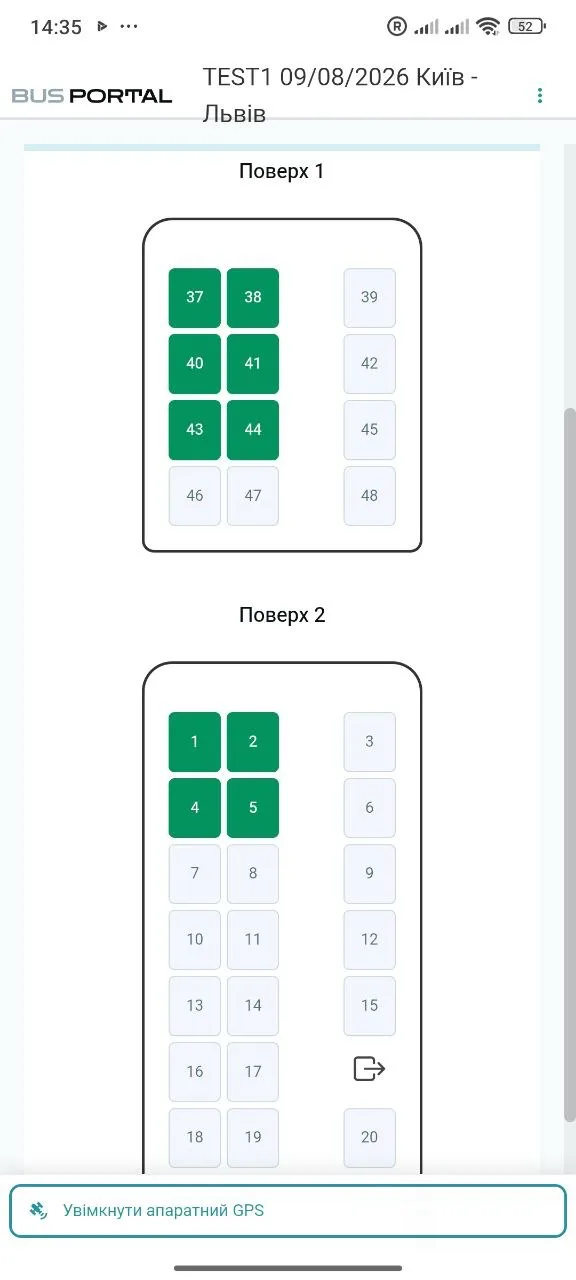
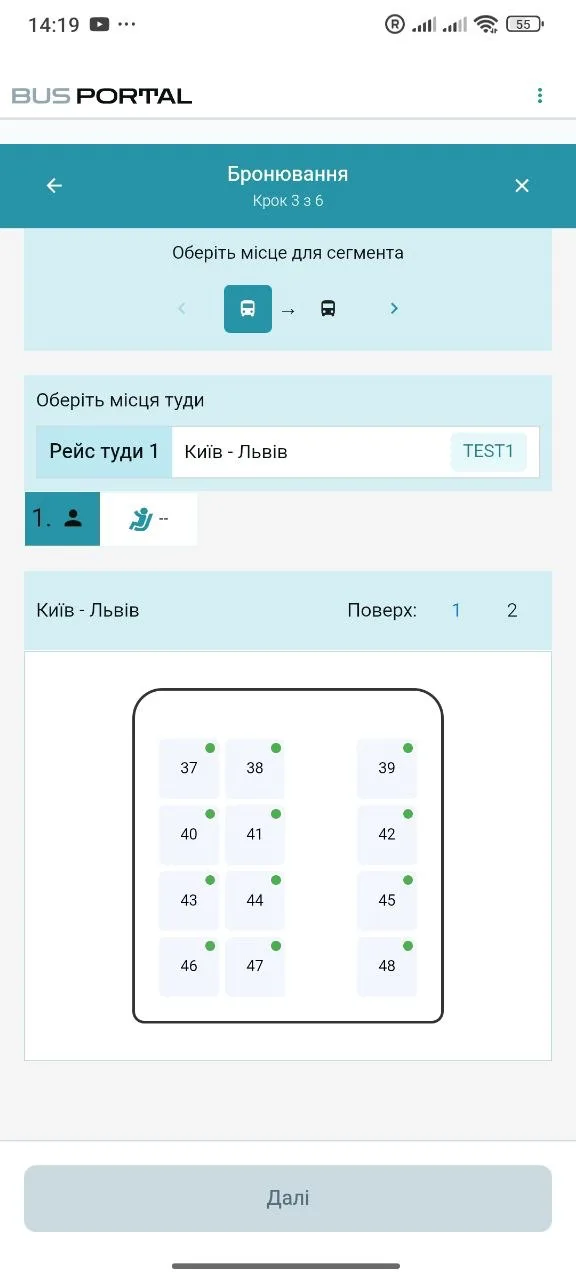
The seat map on a phone
The map shows free and occupied seats. By tapping a seat, the driver can view the passenger, the payment and the final stop.
Checking a ticket by QR code
The passenger shows the e-ticket on their phone and the driver scans the QR code. After the check the system marks the boarding automatically.
Finding the right passenger quickly
The driver can filter the list by stop, payment status or other attributes. The matching seats are highlighted on the seat map straight away.
Easier on an international trip
Boarding and drop-off are grouped by country. That helps the driver prepare the required information faster at a border crossing.
Moving passengers during the journey
If the bus or the seating has to change, the driver can move a group of passengers to other seats. While the operation is in progress the system holds those seats so that another booking cannot take them.
Working on stretches with no mobile coverage
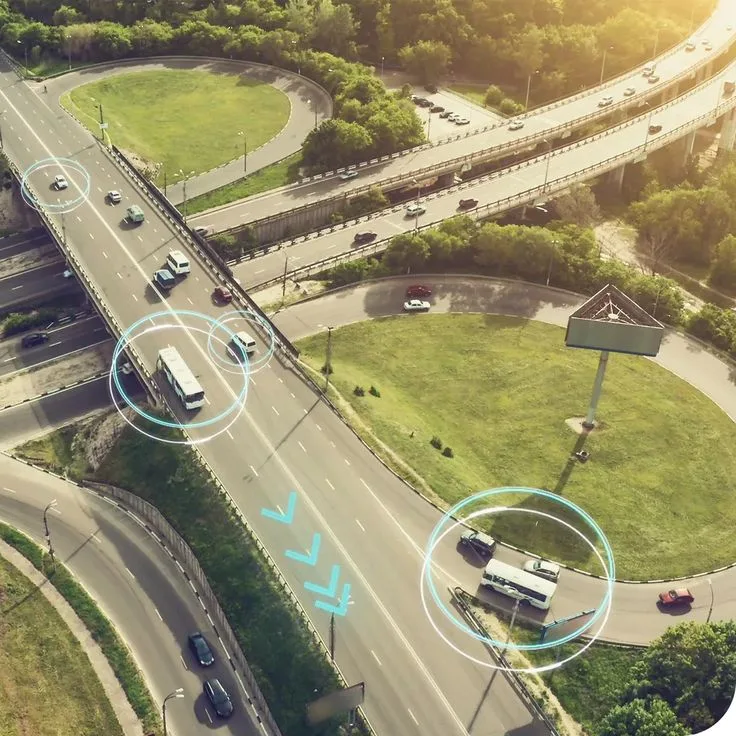
International routes include stretches with no coverage. The app stores the information it needs on the phone, so the driver never loses the trip list or the marks they have made.
- The driver can view trips, stops and the passenger list even when there is no mobile internet
- Boarding, luggage and payment status marked while offline are stored on the phone
- As soon as the internet is back, the app automatically sends the saved changes and the record of the route covered. The driver does not have to repeat anything they have already done.
- Important: cash-desk payments, issuing a new ticket on board, and starting or ending a trip all require an internet connection.
The driver's phone sends the bus location
If the bus has no separate GPS device, the driver app can send the location instead. Buying extra hardware is not required. The app adjusts how often it sends coordinates depending on how the bus is moving, so it uses the phone's battery more sparingly. The dispatcher sees the bus on the map, and data collected while offline is sent once the internet is back.
FINANCE
Tickets, payments and money on the trip
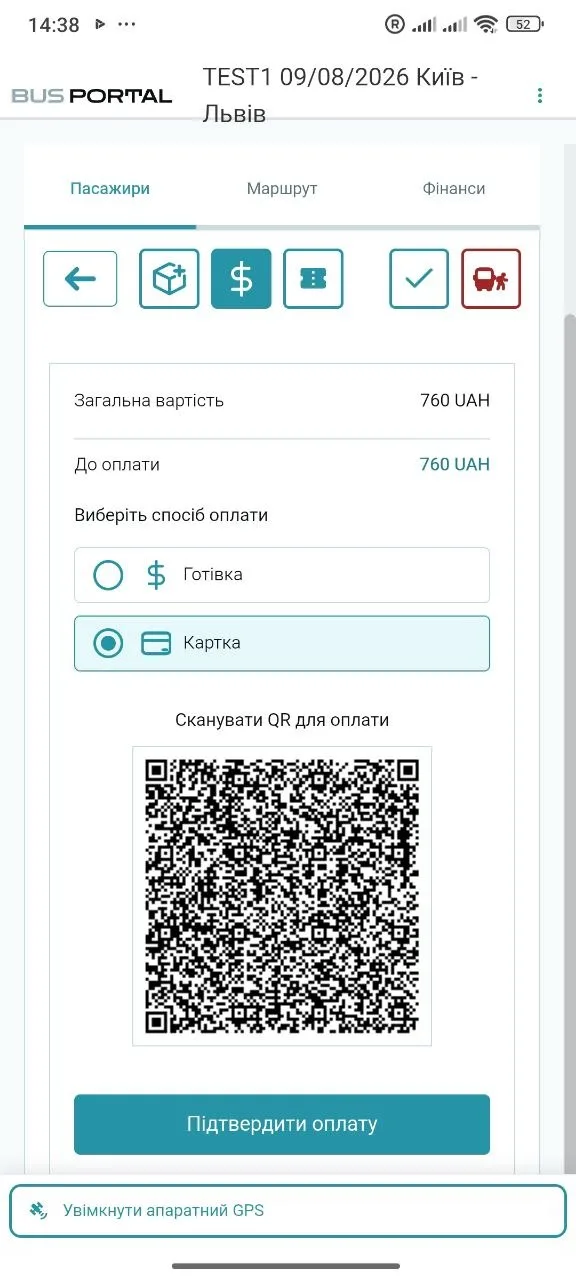
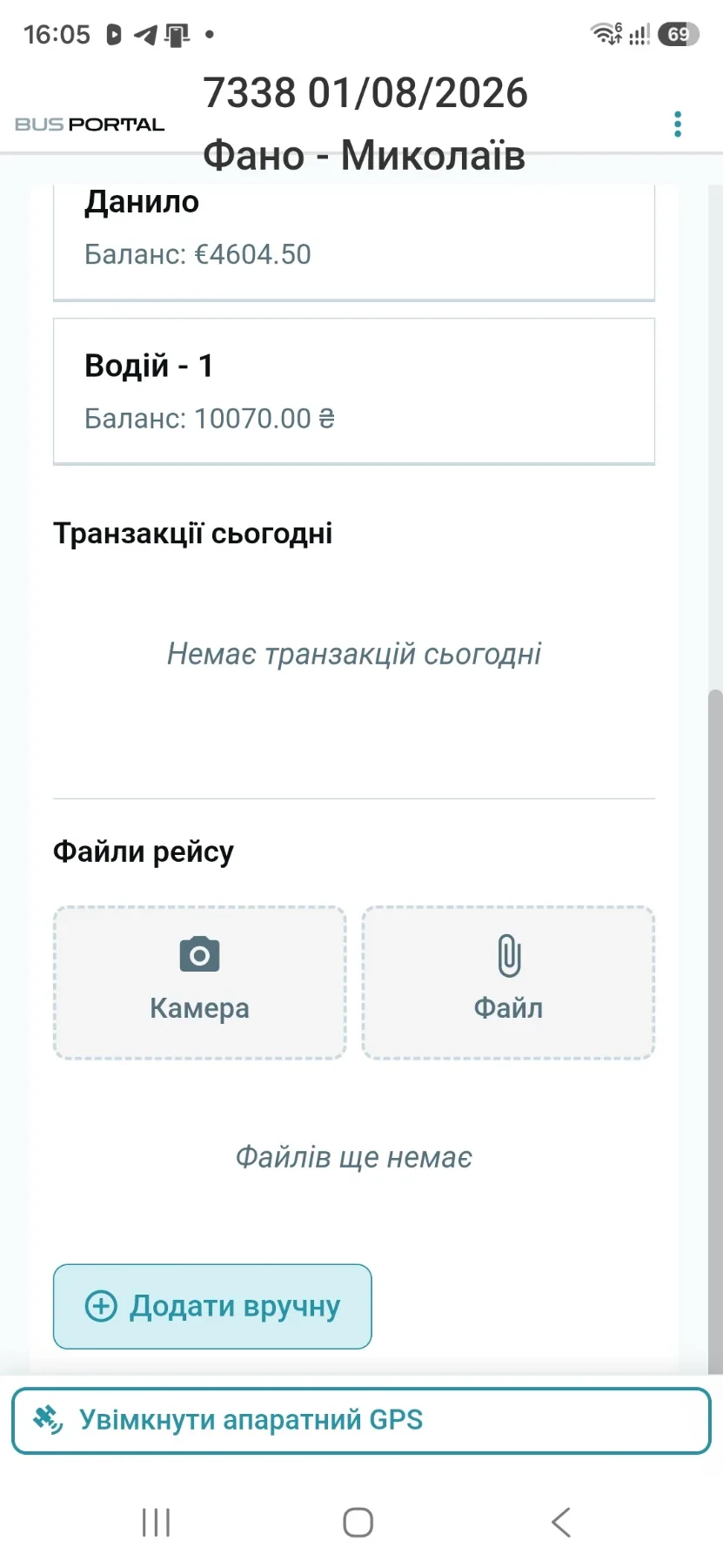
Every payment taken on board is recorded together with the passenger. The owner and the dispatcher can see how much money the crew collected, without separate records in spreadsheets or chats.
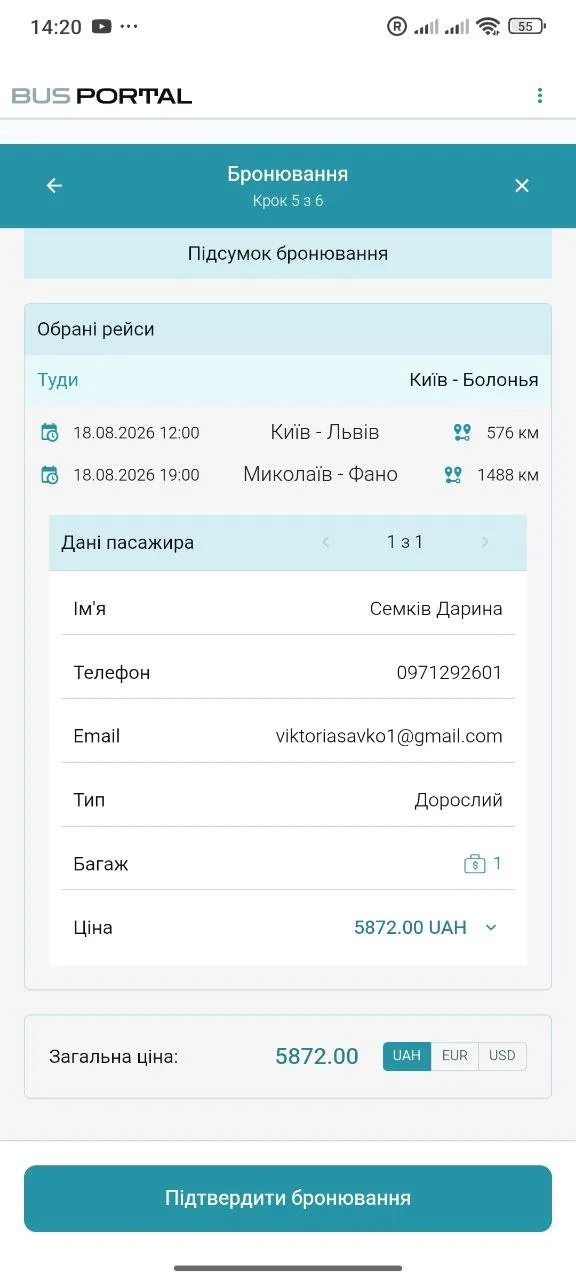
The driver can register a new passenger on the way: choose the destination and the seat, enter the details and record the payment. The new booking is added to the trip list immediately.
A passenger can book a seat on the website in advance and pay at boarding. The driver already sees that booking in their list.
The driver marks the payment method directly in the passenger card. If the passenger is entitled to a discount, it is applied to the ticket price.
The system counts the money collected on each bus separately. The owner sees the cash total for the trip and can reconcile it once the crew is back.
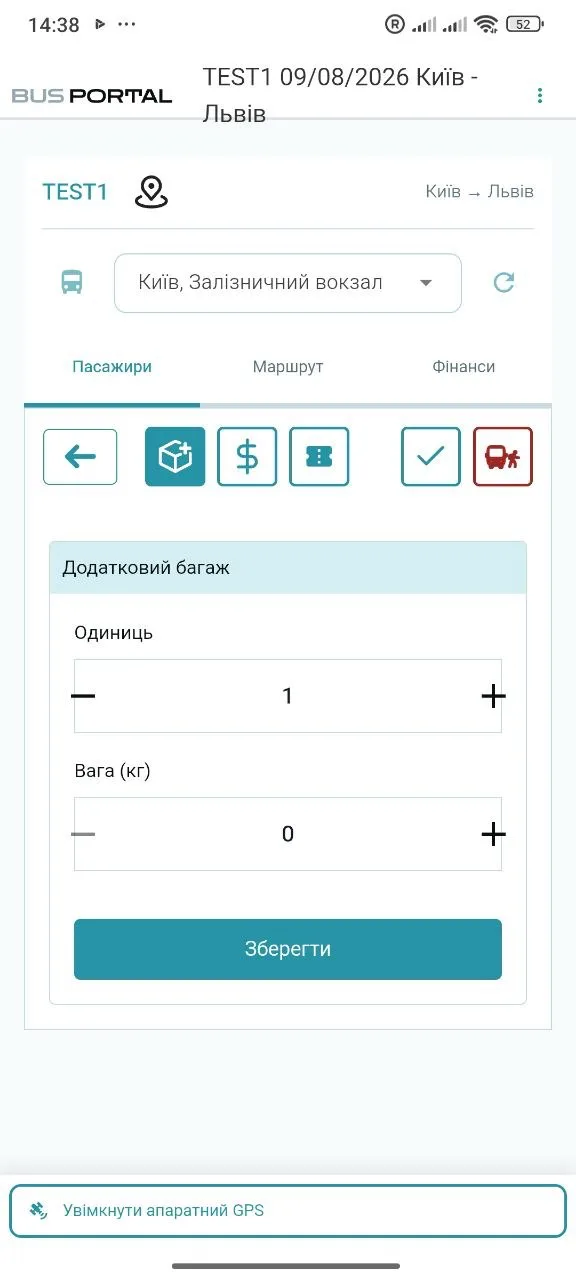
The driver adds luggage to the passenger card, sees the calculated price and records the payment. Luggage and money information is kept in one place.
After the trip you can get a payment summary for the whole route or for a single stop. The owner does not have to collect data from several sources by hand.
EXPENSES
Expenses and messages from the road
A fuel receipt straight into the system
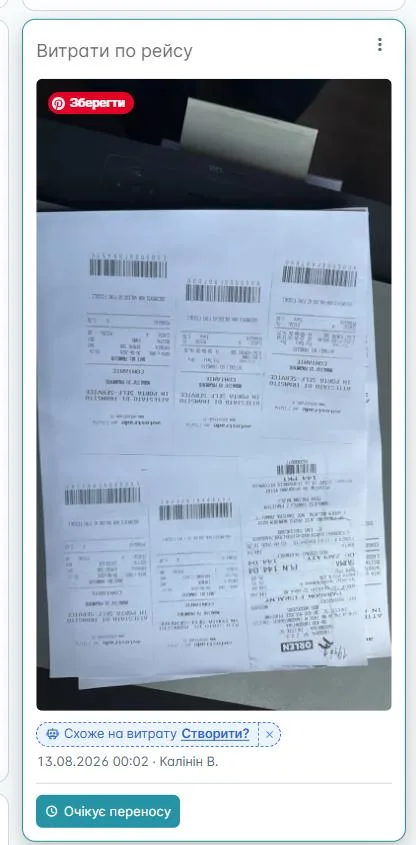
The driver photographs the receipt in the app. The system recognises the amount and the expense category, after which the accountant or the responsible employee checks and confirms the record.
The driver can send a photo, a document or a text message from the road. The information is kept in the shared notes for the trip and does not get lost in a private chat.
TRANSFERS
A separate app for the transfer driver
The transfer driver sees who has to be picked up, at which address and in what order. The app helps build the route via Google Maps or Waze and lets the driver call the passenger quickly.
The passenger can automatically receive an SMS or Viber message with the estimated arrival time of the car.
SMS and Viber messages are paid for separately by the carrier at the messaging provider's rates.

NO DEDICATED DEVICE FOR EVERY DRIVER
Runs on an ordinary Android smartphone
The driver installs the app on their own Android smartphone. There is no need to buy special phones or terminals for the crew.
New versions are installed automatically. The driver does not have to look for updates in the app store.
The app is available in Ukrainian, English and Russian. Every driver chooses the language that suits them.
CAPABILITIES
What the fleet owner gets
- an up-to-date passenger list for every driver
- faster boarding without paper manifests
- fewer calls between the driver and the dispatcher
- control over payments, cash, luggage and expenses
- the bus location on the map
- a history of actions and a financial summary for every trip
FAQ
Which phones does the driver app run on?
Ordinary Android smartphones. There is no need to buy special phones or terminals for the crew, and new versions are installed automatically.
What works without mobile internet?
Offline, the driver can view trips, stops and the passenger list, and can also mark boarding, luggage and payment status. Changes are stored on the phone and sent once the connection is back. Cash-desk payments, selling a new ticket, and starting or ending a trip require the internet.
Does the driver still need a paper passenger list?
No. Instead of a printed manifest the driver has an up-to-date list on the phone: who boards where, which stop each passenger travels to, which seat they take and whether the trip has been paid for.
Can the driver sell a ticket on board?
Yes. The driver registers a new passenger on the way: chooses the destination and the seat, enters the details and records the payment. The new booking is added to the trip list immediately. An internet connection is required for this.
How does the owner keep track of the money the driver takes?
Every payment taken on board is recorded together with the passenger, and the system counts the money collected on each bus separately. The owner sees the cash total for the trip and can reconcile it once the crew is back, and after the trip can get a payment summary for the whole route or for a single stop.
Does the app replace a dedicated GPS tracker?
If the bus has no separate GPS device, the driver app can send the location instead — buying extra hardware is not required. The dispatcher sees the bus on the map, and data collected while offline is sent once the internet is back.
Can tickets be sold through the website and Telegram at the same time?
Yes. The website, the Telegram bot and the driver app all work with the same schedule and seat availability, so one seat can never be sold to two passengers.
Let us show the driver app on your own trip
We will run a demo based on your routes. You will see what information the driver gets on the phone and how the same changes appear for the dispatcher and the owner.
- Free testing with Live Pilot
- Help with the setup